For about three weeks in August I was exhausted, and I could not work out why.
There was plenty to blame. Work was heavy, I had come back from a long stretch in China and was still finding my time zone. I had started keto (again) and gone back to the gym after a seven week layoff, on a deliberate calorie deficit. Any one of those will flatten you for a week. So it was either bad planning or an experiment, depending on how generous you are feeling.
What bothered me was that it did not lift. Normally you push through the first hard week and the body catches up. But I didn’t catch up. It got worse, in the way where you start the day already behind and feel like you’re digging yourself deeper into a hole.
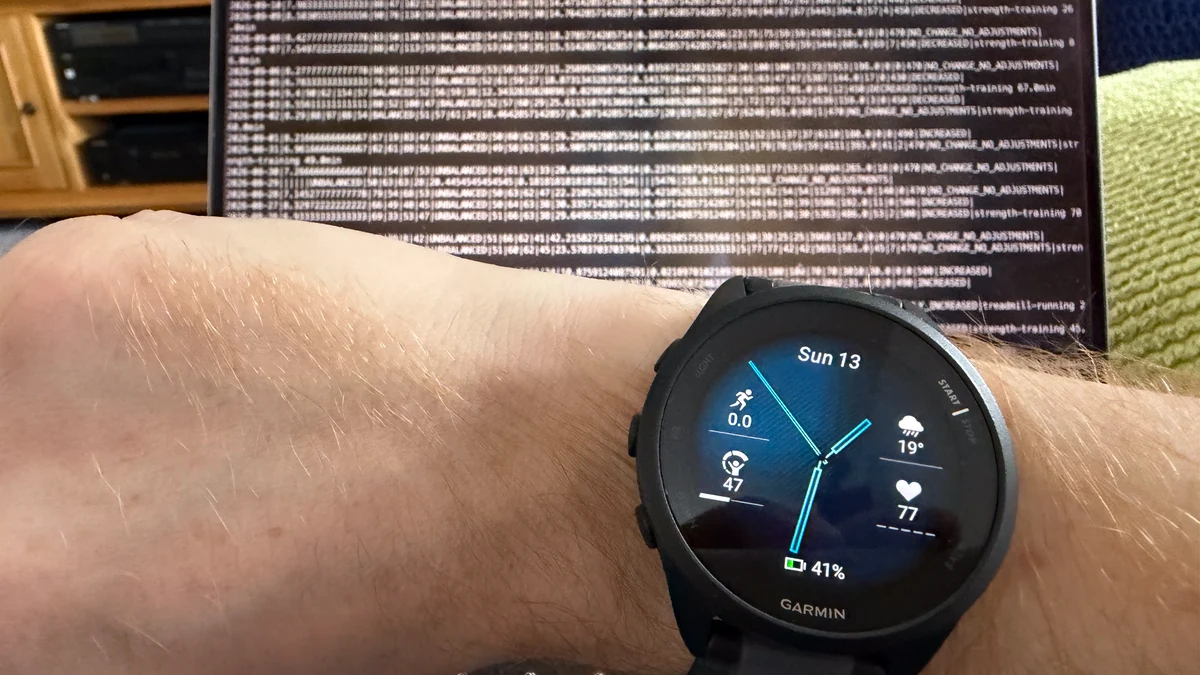
My watch agreed with me, which was somehow worse than being told I was imagining it.
If you have a Garmin you will know Body Battery, the number between 5 and 100 that is supposed to tell you how much you have got in the tank. Mine spent almost every day in August on the floor. Not low. The floor, which is 5. And the ceiling had gone too. There were days the highest it got was 30. That’s what I left the house with. Not what I limped home on, after a full night in bed.
So I did what you would do. I scrolled the graphs on my phone every morning. But none of them told me anything I could act on.
Five nights was enough
Eventually I stopped scrolling and wrote a script.
It logs into Garmin Connect with my own account, politely and once a day, and pulls my data down onto my own laptop as JSON files. Nothing exotic. I will come back to exactly what it fetches, because that turned out to be the interesting part.
Then I handed the result to an AI, which by then had a couple of weeks on disk, and asked it one question. Why am I waking up tired?
It did not hedge, it had an answer and it did not take long. Here is what it put in front of me.
| night | previous day | sleep score | HRV | resting pulse | night stress | share of night elevated | Body Battery peak |
|---|---|---|---|---|---|---|---|
| Tue 11 | gym | 64 | 40 | 59 | 33 | 77% | 30 |
| Wed 12 | rest | 87 | 64 | 55 | 13 | 7% | 84 |
| Thu 13 | gym | 73 | 47 | 63 | 29 | 61% | 42 |
| Fri 14 | rest | 79 | 58 | 59 | 15 | 3% | 68 |
| Sat 15 | gym | 76 | 43 | 61 | 30 | 58% | 38 |
Read down any column and it jumps out. After every gym session my nervous system stayed switched on for well over half the night, heart rate variability dropped into the low forties, and the battery never refilled. After every rest day the night was quiet and I woke up charged. Seventy-seven per cent of one night above the stress threshold, against three per cent two nights later, in the same bed, in the same week, on the same diet.
Nothing else in my life alternated on that timetable. It was the training. I was not recovering from my workouts, and I had been assuming, in the vague way you assume things about your own body, that I was.
Then it went further, which is the bit I actually wanted. It looked at when I was training. Almost every session that fortnight started between five and eight in the evening, and the worst night on the whole board followed the latest one: a session that started at 19:38 gave me a sleep score of 48, a resting pulse of 65 and night stress of 42, with ninety per cent of the night above threshold. So the first suggestion was to move the sessions into the middle of the day and put some distance between the last set and the light going off.
The second and third were about fuel. Eat more protein, because I had come back to lifting after a seven week gap and was asking my body to rebuild on a deficit. And consider whether the deficit itself was too aggressive, because a body in a hole does not repair itself on an empty budget.
That is a diagnosis with a to-do list attached, off data I had already been collecting anyway, for free, for a year, and had never once read.
What the script actually pulls
Here is the part that made me think other people might want this.
Every morning at nine, a scheduled job wakes up, makes about twenty requests to Garmin, and writes one JSON file per day into a folder. That file is the whole day. The most recent one on my disk is 240 KB and contains eleven top level sections, one of which, the daily summary, has ninety-four fields in it on its own.
This is what a single day’s file holds.
| section | what is in it |
|---|---|
| summary | steps and goal, distance, total and active calories, resting pulse, min and max heart rate, seven day RHR average, stress average and maximum plus minutes spent in each stress band, Body Battery high, low, charged, drained, at wake and during sleep, sleeping and awake seconds, sedentary and active seconds, intensity minutes, floors, respiration averages, SpO2 |
| sleep | start and end, total, deep, light, REM and awake seconds, sleep score with Garmin’s qualifier and written feedback, per factor scores for duration, stress, restlessness and each stage, average heart rate, average sleep stress, overnight HRV and its status, respiration, Body Battery change, restless moments, sleep need |
| sleep detail | the per minute arrays behind all of that: stage segments, movement, heart rate every two minutes, stress every three, Body Battery every three, HRV every five, restless moments, respiration |
| hrv | last night’s average, the five minute high, the weekly average, the status, and your personal balanced range |
| stress | the all day stress series, roughly every three minutes, plus the matching Body Battery series |
| heart_rates | all day wrist heart rate, roughly every two minutes |
| respiration | the all day breathing rate series and hourly averages |
| spo2 | blood oxygen readings, hourly and daily, if you have turned Pulse Ox on at the watch |
| training_status | training status, acute load, load balance, ratio |
| max_metrics | VO2 max, fitness age |
And separately, one file per activity, holding the summary, the full detail record, the splits and the heart rate zones. For a run that means distance, duration, average and maximum heart rate, cadence, stride length, ground contact time, vertical oscillation, running power, training effect, temperature, elevation, your fastest kilometre, and up to 600 individual samples through the session. For a strength session it means duration, heart rate, training effect, calories, and Garmin’s own automatic set and rep count.
I have about a year of this on disk, going back to the first of October last year, and 94 activities. Eight and a half megabytes of daily files, one and a bit of activities. A year of your own life, in about the space of two photographs.
Why it builds a database
Here is the problem with all of that, and the reason the script does not stop at downloading it.
A single day’s JSON file is roughly 35,000 tokens if you hand it to a language model whole. Ask a question about a year and you are not being slow, you are asking for something that cannot be done.
So after every fetch the script rebuilds a SQLite database from the JSON. Thirty three tables and three views, 6 MB, for a year of data sitting in the same folder. The JSON stays the source of truth, and if a column ever comes out wrong the fix is to correct the parser and rebuild rather than to go back to Garmin.
The three views are the ones that get used. One row per morning for recovery: sleep hours, score, deep and REM, HRV and its status, resting pulse and its seven day average, day stress, overnight stress between 23:00 and 06:00, Body Battery at every point that matters, steps, and what you did that day. One row per run: distance, pace, heart rate and crucially where that heart rate came from, cadence, stride, training effect. One row per run segment, using Garmin’s own automatic run, walk and stand detection, which gives you your intervals back without ever having pressed the lap button.
Now the numbers change completely. That same recovery view, seven rows of it, costs about 300 tokens. A twelve week aggregate costs about a hundred. The summary file the script also regenerates, which is the human readable one, costs about 800.
So when I ask about my sleep or my training, the AI is not reading JSON. It writes a SQL query, runs it, and reads back thirty numbers. That is the difference between a system that can answer questions about a year and one that chokes on a fortnight, and it is worth understanding even if you never write a line of SQL yourself, because it tells you what to build: not a pile of files, a table you can query.
It is not only sleep
This is the bit people miss, and it is the whole reason the exercise works.
Everything the watch records goes into the same database. So when you ask about your sleep, the assistant is not restricted to sleep. It can put your training next to it, which is exactly what my original question needed, because “why am I tired” was never a question about sleep. It was a question about the relationship between two things that live on different screens in the app.
And it runs in every direction. If your Garmin has your runs in it, you can ask what your pace does on the days after a bad night. If it has your strength sessions, you can ask whether your heart rate during a lift has drifted over three months. If it has both, you can ask whether the running is stealing from the lifting. Sleep, stress, heart rate, workouts, and body battery are all one table join away from each other, and that join is where every individual answer lives.
Which is also why no app can give it to you. Garmin can tell everyone their sleep score. Garmin cannot tell me what my sleep score does on the nights after I lift, because that question has an audience of one.
What it takes, and what it leaves
I should be straight about the scope. The script does not pull everything Garmin holds.
The library it uses, python-garminconnect, exposes about a hundred different endpoints. Mine calls fourteen of them, chosen because they are the health related ones. It also deliberately throws the GPS track away before writing anything to disk, because I do not care where I ran and the polyline was seventy four per cent of the file.
| pulled | left alone |
|---|---|
| daily summary, sleep, HRV, all day stress, Body Battery, all day heart rate, respiration, SpO2, training status, VO2 max, activity list, activity detail, splits, heart rate zones | body composition and weigh ins, blood pressure, hydration, nutrition and food logs, race predictions, endurance score, hill score, lactate threshold, training readiness, gear and gear stats, badges and challenges, goals, golf, women’s health, device settings, saved workouts and training plans |
Everything in the right hand column is one line of code away if you want it. If you weigh yourself on a Garmin scale, or log your food, or care about your race predictor, add the call and it comes down with the rest. That is the advantage of a script over an app: the feature request is a line, and you are the product manager.
One more honest limit. Full per minute detail is only kept for the last week or so, by design, because the arrays are bulky and I did not want a hundred megabytes of restlessness data. Older days keep every scalar, which is everything you need for a trend, and any single day can be refetched in full on demand.
Getting it running
There is one thing that decides whether this works for you, and it is not which AI you pay for.
You need an AI assistant that can actually do things on your computer. Something like Claude Code, or Codex, or a local setup such as Open WebUI with tool access. A plain chat window cannot reach your disk, cannot run a script, and cannot query a database, so it cannot do any of this no matter how clever it is. That is the gate. Everything after it is easy.
If you have got one of those, the simple route is genuinely this: give your assistant the repository address, tell it what you want, and let it do the work.
Set this up for me: github.com/gregoryjayuk/garmin-sync. Create the virtual environment, install the dependency, and walk me through the one time login. Then pull my data and build the database.
It will read the README, make the environment, install the package and tell you when it needs you at the keyboard. That is not a cop out, it is the correct use of the tool, and it handles the small differences between machines better than any set of instructions I could write.
If you would rather do it yourself, on a Mac or on Linux it is four lines. You need Python 3.12.
git clone https://github.com/gregoryjayuk/garmin-sync
python3 -m venv ~/.local/share/garmin-sync/venv
~/.local/share/garmin-sync/venv/bin/pip install garminconnect
GARMIN_DATA=~/garmin-data ./sync login
That last one is the only time you type your password, it goes straight to Garmin over HTTPS, and it is never stored. What is stored is a token, in your home directory, outside the repository. After that:
GARMIN_DATA=~/garmin-data ./sync syncRun it once a day. On a Mac you can hand that to launchd, on Linux to cron or a systemd timer, and then forget about it. The first few runs trickle your history down a few weeks at a time; after that it costs about twenty requests a day and takes under a minute.
On Windows, use WSL. The lock the script uses to stop two copies running at once is a Unix one, so it will not start under native Windows without a small patch. Inside WSL the four lines above work unchanged, and honestly, if you are the sort of person who wants a local database of their own biometrics, WSL is worth having anyway.
Two things to keep whichever route you take. Keep the manners the script ships with: at least a second and a half between every request, a hard cap per run, and a full stop at the first sign of a rate limit, with a cooldown that quadruples if it happens again. And keep the once a day schedule. This is your own account and your own data, but it is somebody else’s server, and I did not want to get banned from my own life.
If you don’t want to run anything at all, you still have a route. Garmin will give you an export of your data if you ask, as will every company holding data on you in this part of the world. It arrives as a heap of nested JSON, so do not paste it into a chat window. Build one table out of it instead, one row per day, and hand over sixty rows rather than sixty megabytes. Sixty rows fits anywhere.
One warning if you do it by hand, because this is where it quietly goes wrong. A sleep record dated the fourteenth is the night that ended on the morning of the fourteenth, so it belongs with the training you did on the thirteenth. My own first attempt lined each night up with the same day’s training, which answers a completely different and useless question, and the table it produced looked exactly as tidy and as convincing as the correct one.
What you can actually ask it
Once it is on your disk, the useful shift is that you stop looking at your data and start interrogating it. A few of the questions that have earned their keep.
Comparisons across time, which is the big one. The database goes back as far as you have worn the watch. Mine reaches last October, which covers a period in December and January when I was training considerably harder than I am now, eleven gym sessions and seven runs in a single January, three of those runs at ten kilometres. So I could ask the question that actually mattered: what did my sleep do after training back then? The answer was 87, better than my rest nights in the same weeks. Which reframed everything. Training does not wreck my sleep. Training wrecks my sleep now, and those are different sentences with opposite answers. The first says train less. The second says keep training and fix what happens around it.
Anything you can label, it can compare. Tell it when you were on a cut, when you were travelling, when you were ill, when you were sleeping in a different bed, when you were on a diet or off one. None of that is in the data, but the moment you supply the dates it becomes an axis, and you can ask what your resting pulse did across each of them.
Training questions the Garmin app will not answer. Like whether your heart rate at a given pace has come down over three months. Whether your cadence improves or degrades as a run goes on. What your training effect scores are actually doing over a season. Which day of the week you consistently underperform on, which is a genuinely uncomfortable thing to learn.
Threshold questions. How many drinks it takes to show up in your overnight numbers. What a late meal costs you. Whether the difference between seven and eight hours in bed shows up in anything measurable for you specifically, rather than for the population.
And the one that closes the loop. You changed something. Did it work? Because you now have a before, and it arrives without you having to remember to record anything.
The number my task list never had
Here is the part I did not see coming.
The Garmin data is not the only thing my assistant can reach. It also has my notes, my task lists, my projects and my reference material: one folder of plain markdown files that I have been building for years and that now runs most of my life. I will write about that properly another time. The relevant point here is that the moment the health data landed in the same place as everything else, the two started talking to each other, and they have not stopped since.
Anyone who has run GTD for a while knows the four things you are supposed to weigh when you choose what to do next: your context, the time you have, the energy you have, and the priority. Three of those are easy. You know where you are, you know what is in your diary, and you know what matters. Energy is the one everybody fudges, because until now there was nothing to fudge it against. You guess, and you guess badly, usually first thing in the morning while writing a list for an afternoon you cannot yet feel.
Now it is a number, and it was being measured the whole time.
So the brief I get each morning is built knowing what my body actually did last night. If I trained late, slept at 67 and woke on a Body Battery of 30, it does not put the hardest thing on the board in front of me. It offers something shallow and mechanical and finishable instead, the sort of task you can do tired without ruining it, and it quietly moves the deep work to a day when I will have something to spend on it. If I have slept nine hours and woken charged, it does the opposite, and it says why it is asking. That is a small thing that turns out to matter a great deal, because the alternative is deciding it yourself every morning on no evidence.
It works in the other direction too, which I like more than I expected. It knows when I last trained, so it knows when I have not. It knows what my numbers look like on a genuine rest day, so when I string four hard days together it tells me, plainly, once, without nagging. A task list that can see your resting pulse is a different instrument from one that cannot, and it is a good deal harder to lie to.
That, in the end, is the real argument for getting your data onto your own disk, and it is a better one than I could have made in the abstract. Not privacy, though privacy is real. Not ownership as a principle, though I believe in that too. It is that data sitting on somebody else’s server can only ever answer the questions that company thought to build a screen for, and data sitting on yours can be joined to everything else you know about your life.
Your sleep next to your training. Your training next to your workload. Your energy next to the thing you were about to promise somebody you would finish by Friday.
Pull your data down this week and ask it something.